
DocuScan - PDF Document Cam Scanner & Scan Converter App1.0 - App Store
You'll be able to see results in few seconds.
Publisher Description
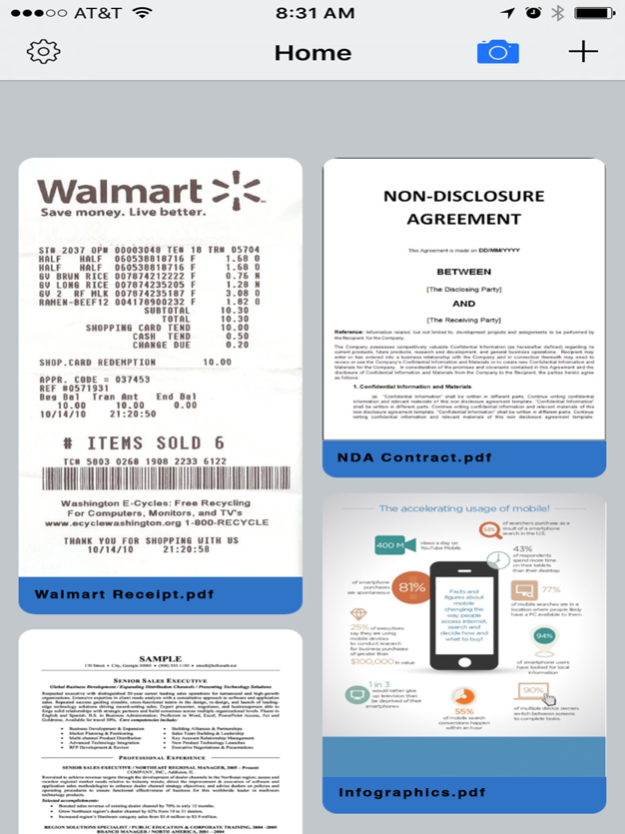
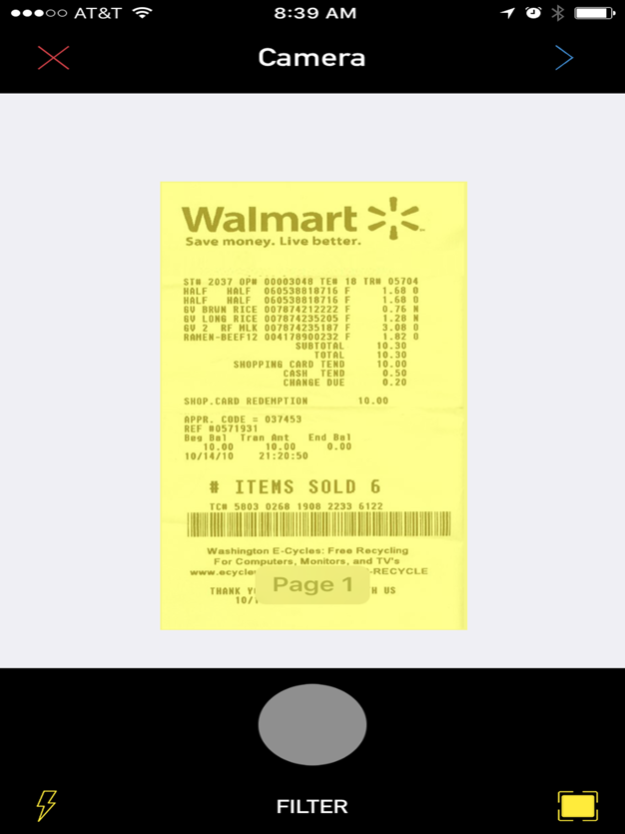
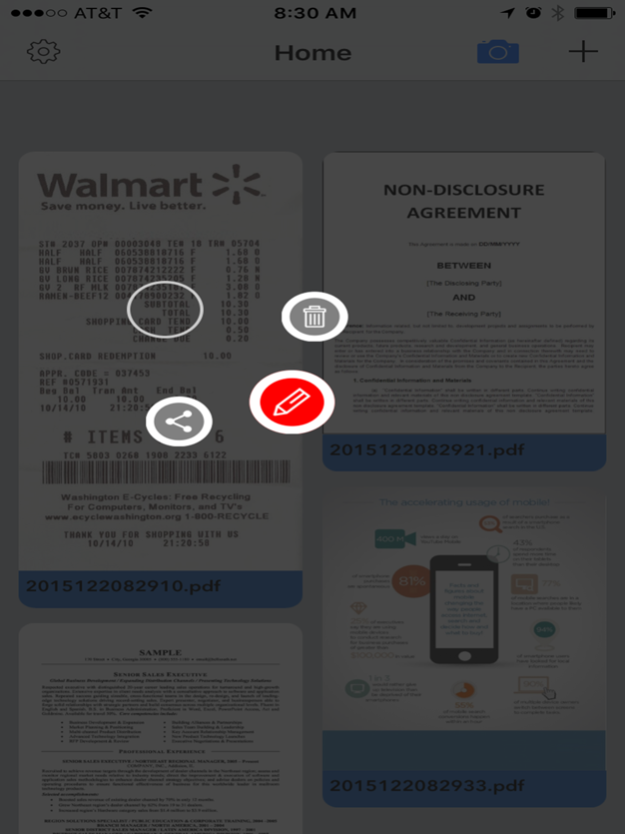
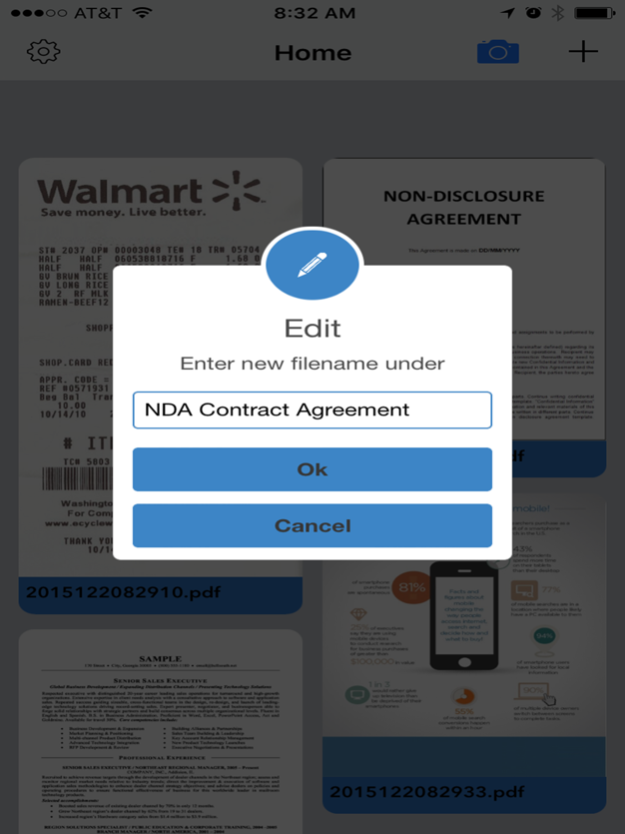
*****Best free PDF scanner apps*****
Just a tap and a scan, DocuScan turns your iPhone into a multipage scanner for documents, receipts, notes, whiteboards, and other text.
DocuScan uses advanced camera algorithms to auto detect the document edges, straighten documents, and perfectly filter the documents for scans that are 5x better than the normal office scanners or fax machines.
The app also provides advanced users with advanced editing tools to manually crop, apply filters just like Instagram, adjust colors, contrast, and much more.
DocuScan offers a very powerful yet simple and easy to use interface. Just a Tap to Scan to PDF to your preferred sharing method in mere seconds.
Unlike many of the popular scanning apps all the processing and conversion to PDF happens on your iPhone. This is very important to us as we value your security and data. No interest connection is needed.
DocuScan Features
• Email PDF’s
• Ultra-fast processing
• Advanced editing tools
• Auto document edge detection and perspective correction
• Document naming, storage inside the app
• Delete documents or rename files with ease
• Arrange multiple receipts or business cards on a PDF page
• Open PDFs or JPEGs in other apps like the free Dropbox app (or Evernote, SkyDrive, GoogleDrive app, etc) to send to clouds, or fax apps
• AirDrop function
• Printing via AirPrint
• PDF Optimization
DocuScan Tips for Scanning
• Make sure your document is flat and well lit.
• For best edge detection, include some margin around your document while shooting.
• Use flash in low light conditions, but avoid glare with glossy documents.
Jan 14, 2016
Version 1.0
This app has been updated by Apple to display the Apple Watch app icon.
About DocuScan - PDF Document Cam Scanner & Scan Converter App
The company that develops DocuScan - PDF Document Cam Scanner & Scan Converter App is Thanh Ho. The latest version released by its developer is 1.0.
To install DocuScan - PDF Document Cam Scanner & Scan Converter App on your iOS device, just click the green Continue To App button above to start the installation process. The app is listed on our website since 2016-01-14 and was downloaded 0 times. We have already checked if the download link is safe, however for your own protection we recommend that you scan the downloaded app with your antivirus. Your antivirus may detect the DocuScan - PDF Document Cam Scanner & Scan Converter App as malware if the download link is broken.
How to install DocuScan - PDF Document Cam Scanner & Scan Converter App on your iOS device:
- Click on the Continue To App button on our website. This will redirect you to the App Store.
- Once the DocuScan - PDF Document Cam Scanner & Scan Converter App is shown in the iTunes listing of your iOS device, you can start its download and installation. Tap on the GET button to the right of the app to start downloading it.
- If you are not logged-in the iOS appstore app, you'll be prompted for your your Apple ID and/or password.
- After DocuScan - PDF Document Cam Scanner & Scan Converter App is downloaded, you'll see an INSTALL button to the right. Tap on it to start the actual installation of the iOS app.
- Once installation is finished you can tap on the OPEN button to start it. Its icon will also be added to your device home screen.
Program Details
System requirements
Download information
Pricing
Version History
version 1.0
posted on 2016-01-14
Jan 14, 2016
Version 1.0
This app has been updated by Apple to display the Apple Watch app icon.
version 1.0
posted on 2016-01-14
Jan 14, 2016 Version 1.0
This app has been updated by Apple to use the latest Apple signing certificate.
version 1.0
posted on 2016-01-14
version 1.0
posted on 2016-01-14
Jan 14, 2016 Version 1.0
This update is signed with Apple’s latest signing certificate. No new features are included.
version 1.0
posted on 2016-01-14
Jan 14, 2016 Version 1.0
This app has been updated by Apple to display the Apple Watch app icon.
version 1.0
posted on 1970-01-01
2016年1月14日 Version 1.0
This update is signed with Apple’s latest signing certificate. No new features are included.
Disclaimer
Official App Store Link
We do not host DocuScan - PDF Document Cam Scanner & Scan Converter App on our servers. We did not scan it for viruses, adware, spyware or other type of malware. This app is hosted by Apple and passed their terms and conditions to be listed there. We recommend caution when installing it.
The App Store link for DocuScan - PDF Document Cam Scanner & Scan Converter App is provided to you by apps112.com without any warranties, representations or guarantees of any kind, so access it at your own risk.
If you have questions regarding this particular app contact the publisher directly. For questions about the functionalities of apps112.com contact us.
